Posts

How to Choose the Perfect WordPress Theme for Your Business

Image
Choosing the right WordPress theme is like picking the perfect outfit—it needs to fit well, look great, and represent your brand. But with thousands of themes out there, how do you make the right choice? Let’s break it down! 1️⃣ Identify Your Business Needs Not all themes are created equal. If you’re running an e-commerce store, you’ll need a theme with WooCommerce support. For a portfolio, a visually stunning theme is a must. Define your purpose before you start browsing. 2️⃣ Free vs. Paid Themes Free themes are great for beginners but often lack customization and support. Premium themes (usually $30-$100) offer better flexibility, performance, and unique designs. 3️⃣ Mobile Responsiveness is a Must! With over 60% of web traffic coming from mobile devices, your theme must be mobile-friendly. Always check the demo version on different devices. 4️⃣ SEO-Friendly Themes Win the Game If you want your site to rank higher on Google, choose a theme optimized for SEO. Look for themes with cle...

Why Every Business Needs a WordPress Website in 2025

Image
  Introduction If your business doesn’t have a website in 2025, you’re practically invisible. And if you’re thinking, “I already have a Facebook page, why do I need a website?”—we need to talk! Social media is great, but it can’t replace the power of a fully functional, optimized WordPress website. In this blog, we’ll explore why WordPress is the best choice for businesses looking to dominate the digital space. 1. WordPress Powers 43% of the Internet (And Growing!) Yes, you read that right! WordPress is the most popular website platform in the world, used by small businesses, Fortune 500 companies, and bloggers alike. Why? Because it’s: ✅ Easy to Use – No coding skills needed! ✅ Highly Customizable – Over 50,000 plugins to add features effortlessly. ✅ SEO-Friendly – Built-in optimization features to help you rank on Google. 2. Your Website = Your Business Identity Think of your website as your digital storefront . If customers Google your business and find nothing , they’ll p...

Day 4: Demystifying Server Roles and Features in Windows Server 2019

Image
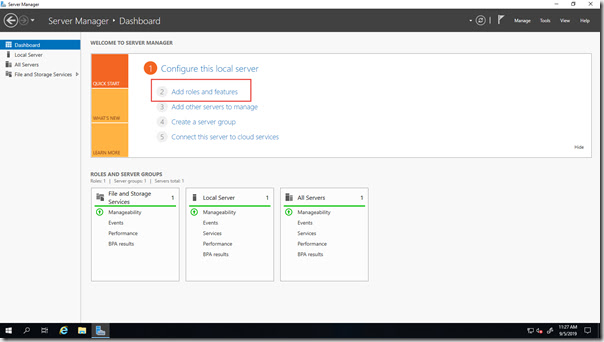
Welcome back, server enthusiasts! Yesterday, we explored the installation process for Windows Server 2019. Today, we'll delve into a crucial concept: Server Roles and Features. Understanding Server Roles and Features is essential for configuring your server to fulfill its designated purpose. Server Roles: These are broad functional areas that define the core services your server will provide. Examples include Active Directory Domain Services (AD DS) for user and group management, or Hyper-V for virtualization. Features: These are more granular components that add specific functionality to a server role or can be installed independently. For instance, the Failover Clustering feature enhances high availability within a cluster. Here are some key points to remember about Server Roles and Features: Modular Design: This allows you to customize your server by installing only the roles and features necessary for your specific tasks. Installation Flexibility: You can add or re...

Day 3: Installing Windows Server 2019: Gearing Up for Success

Image
Greetings, server admins! Today, we'll tackle the first crucial step: installing Windows Server 2019. Having a solid foundation is essential for a smooth and successful server environment. Windows Server 2019 offers multiple installation methods to cater to different deployment scenarios: GUI-based installation (Desktop Experience): This option provides a familiar Windows interface for a user-friendly installation process. Ideal for initial setups or managing single servers. Server Core installation: This minimal footprint option prioritizes functionality over a graphical interface. Well-suited for remote management and resource-constrained environments. Nano Server installation (limited availability): This lightweight option offers the most basic server functionality for highly specialized deployments (Note: Not covered in this series due to limited support). Here's a simplified overview of the installation process (specific steps may vary): Prepare your server: Ens...